
What Is Gradient and How to Earn Rewards
The Gradient Network is built on Solana and aims to scale up cloud computing by introducing edge computing through a decentralized network of devices to process data. Users can now download the Gradient browser extension and earn rewards by setting up a node.
Key Takeaways
-
The Gradient Network aims to solve scalability issues of cloud computing by introducing edge computing through a decentralized network of devices to process data efficiently.
-
It is led by Yuan Gao, who previously served as Head of Growth at Helium Foundation, and has received support from Multicoin Capital, Pantera Capital, and Sequoia Capital.
-
The protocol is now running Season 0 of its Phase 1 where users can download the Gradient browser extension and earn rewards.

Backing up and storing user data in the cloud has become a common practice for companies and end users alike. Cloud computing has created a fast and convenient way for data to be stored with just a few quick taps on our devices.
However, as technology continues to evolve and Artificial Intelligence (AI) is increasingly introduced to our daily Internet experiences, these big companies are facing the struggle of scaling up. On top of that, these traditional infrastructure pose a single point of failure and put user data at risk.
Introducing the Gradient Network
The Gradient Network is a decentralized protocol built on Solana that aims to combat both problems by introducing edge computing. This computing architecture brings client data processing nearer to the original source through IoT devices or local edge servers. By closing the distance between the data and source, the framework can produce faster results and better bandwidth availability.
Gradient has chosen edge computing as an ideal solution because it provides low latency, low costs, and high potential for scalability. Rather than having all the data stored in one location, like a cloud, Gradient uses many computers called nodes to share this computing power. By spreading the network across devices around the world, it eliminates the need to rely on a single company while creating a more secure and efficient system.
The protocol aims to power effective deployment, management, and coordination of users and compute resources. With strong conviction in edge computing, Gradient believes it has the potential to be adopted by billions and will reshape DePINs and Web3.
Driving the efforts of the Gradient Network is a team led by Yuan Gao, co-founder of the protocol. He was previously Head of Growth at the Helium Foundation as well as Head of Marketing for NEO16. Gradient Network has received support from notable investors and venture capital firms including Multicoin Capital, Pantera Capital, and Sequoia Capital.
The Gradient Descent
Gradient draws inspiration from the concept of Gradient Descent in machine learning and will have three phases to achieve their mission. The first phase – Pervasive Connectivity – will build a Peer-to-Peer (P2P) edge compute network to provide essential infrastructure and real-time analytical insights.
After that, Gradient will aggregate, abstract, and commoditize heterogeneous compute resources with different attributes into one unified Homogenized Computation Layer that will support a wide range of applications and innovations. Lastly, the Adaptive Orchestration phase will allow the network to support a variety of demands ranging from content delivery to AI Inferencing. By this phase, resources will be efficiently allocated to maximize performance and cost-effectiveness.
Phase 1: Pervasive Connectivity
Gradient is implementing edge computing by building on Peer-to-Peer (P2P) networks instead of server-relay networks. In such a setup, devices communicate directly without intermediaries and can enable faster, cost-effective, and geo-aware data transfers.
As part of Phase 1: Pervasive Connectivity, the protocol is introducing Sentry Nodes which are browser extensions that users can install on personal devices. The extension is privacy-preserving, uses less than 1MB a month, and functions efficiently with intermittent liveliness.
Interested users can now earn points by installing and keeping the Gradient extension open. Given that participation is simple and does not require financial capital, now is a good time to get familiar with the Gradient Network!
However, do take note that at the time of writing, the Gradient team has not made any official announcements regarding a token launch airdrop campaign. Therefore, following the steps below and participating in Phase 1 of the Gradient network does not guarantee a future token airdrop allocation.
Step 1: Register Your Account
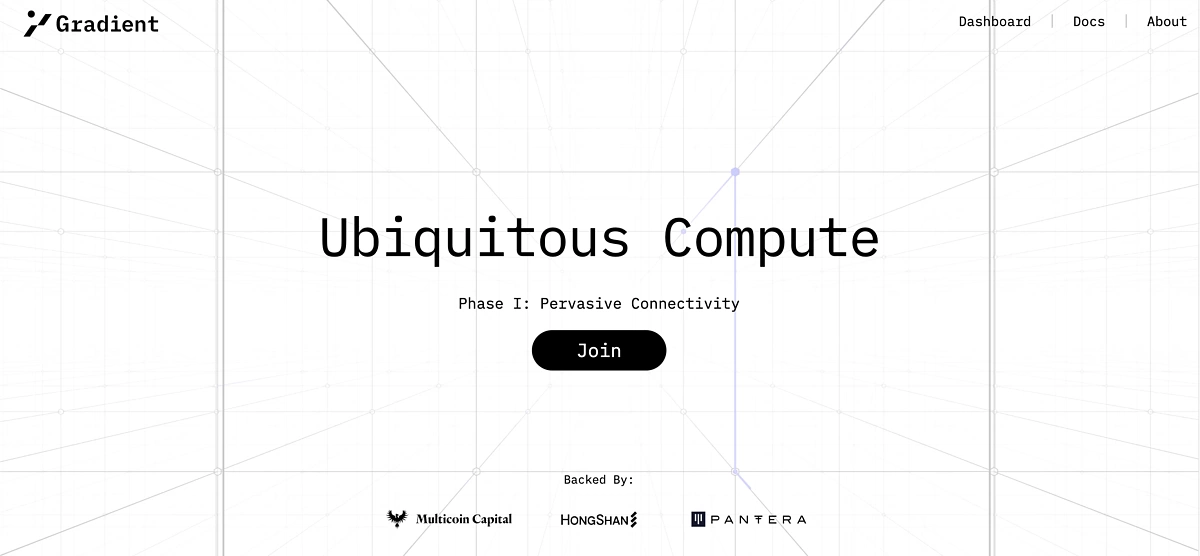
First, head to https://app.gradient.network/signup?code=WSU1X4where you can Join Gradient’s Phase 1.
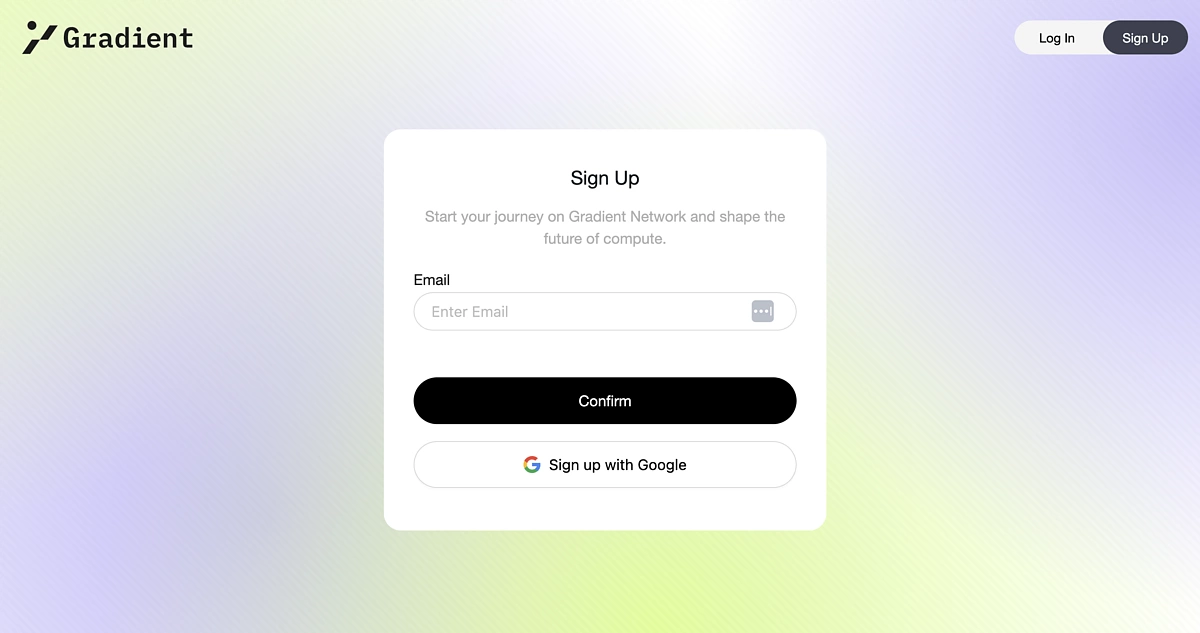
You will need to provide an email address to sign up for an account. Alternatively, you can also choose to sign up with Google. In this guide, we will sign up using an email address.
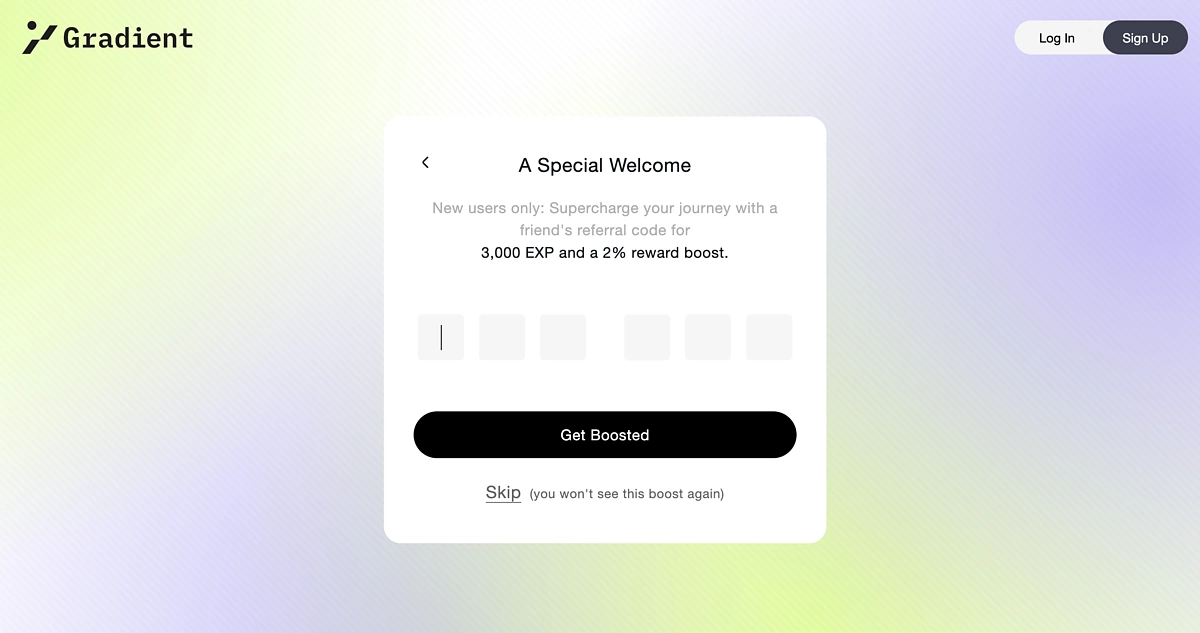
After that, you can input a referral code to receive 3,000 EXP and a 2% reward boost. This is an optional step but given the opportunity to receive a boost, it is worthwhile to find a referral code even if you don’t have any connections already on Gradient. Do take note that this is the only time you can provide a referral code, once you skip this page you will not see it again.
To find a referral code, you can join the official Gradient Discord channel or browse through the official Gradient X page to see codes that others are sharing.
You can access these two channels here.
Gradient Discord: https://discord.gg/2MthdzVJX9
Gradient X: https://twitter.com/Gradient_HQ
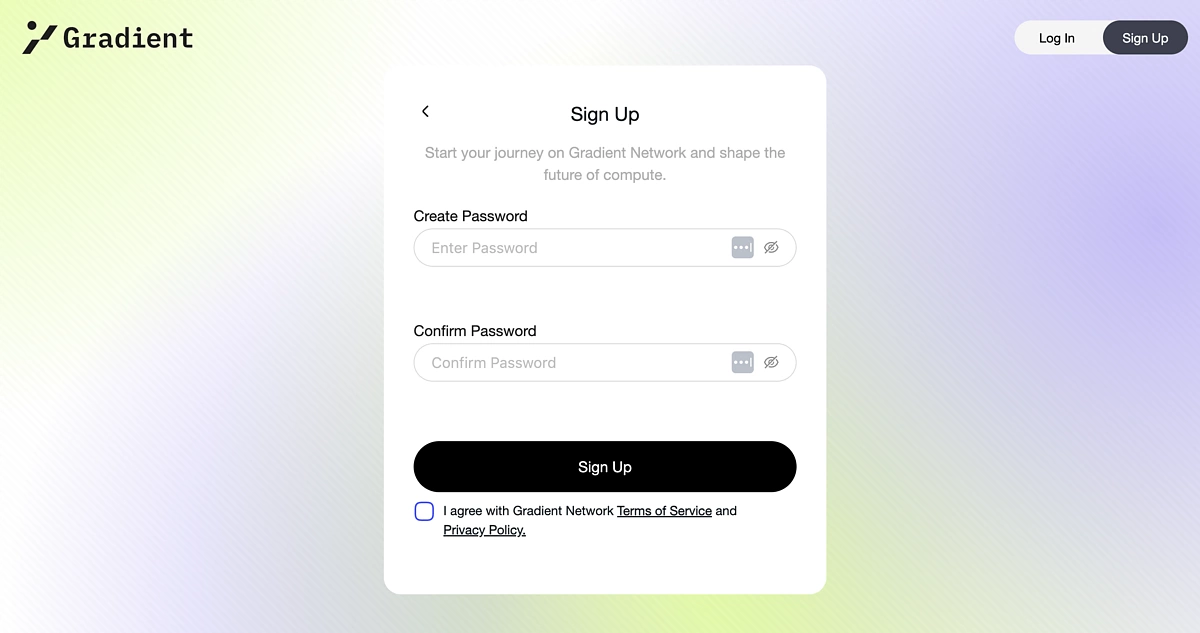
You then need to create and confirm a password for your account and tick the box to Agree with the Terms of Service and Privacy Policy.
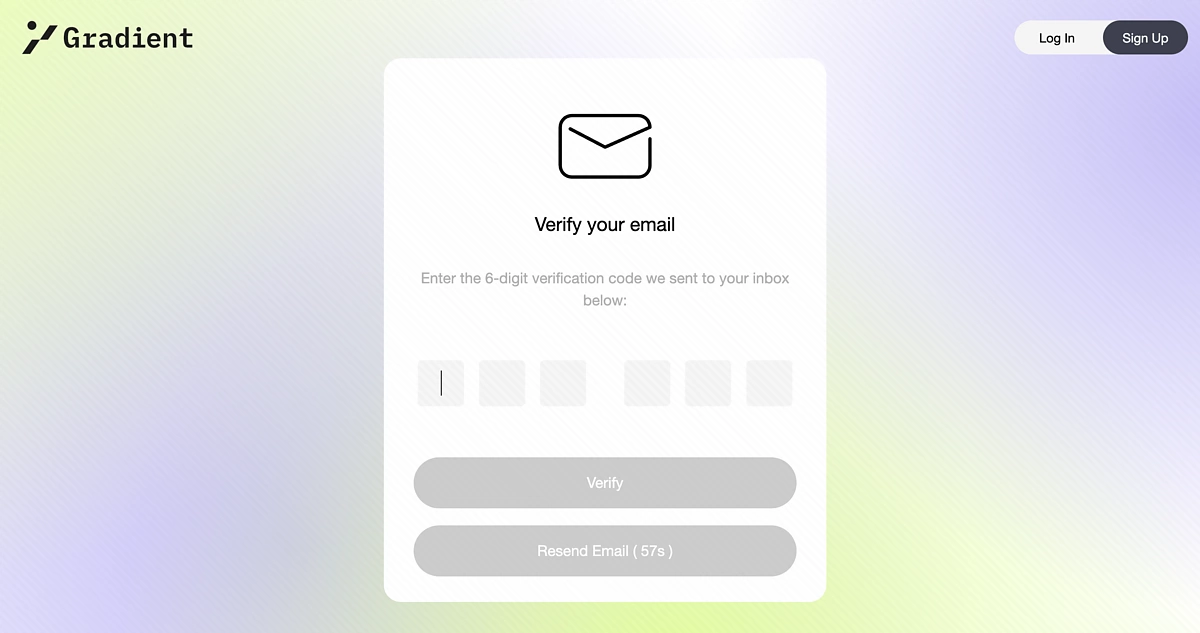
A verification code will be sent to your email address for you to officially verify your account.
Once verified, you can proceed to the Gradient dashboard!
Step 2: Set Up A Node
On your dashboard, you can see your overall Season 0 rewards and the rewards earned in a day. The reward metrics are reset daily at UTC+0.
Below your rewards metrics, you can see your Node Status where you can choose to Download Extension.
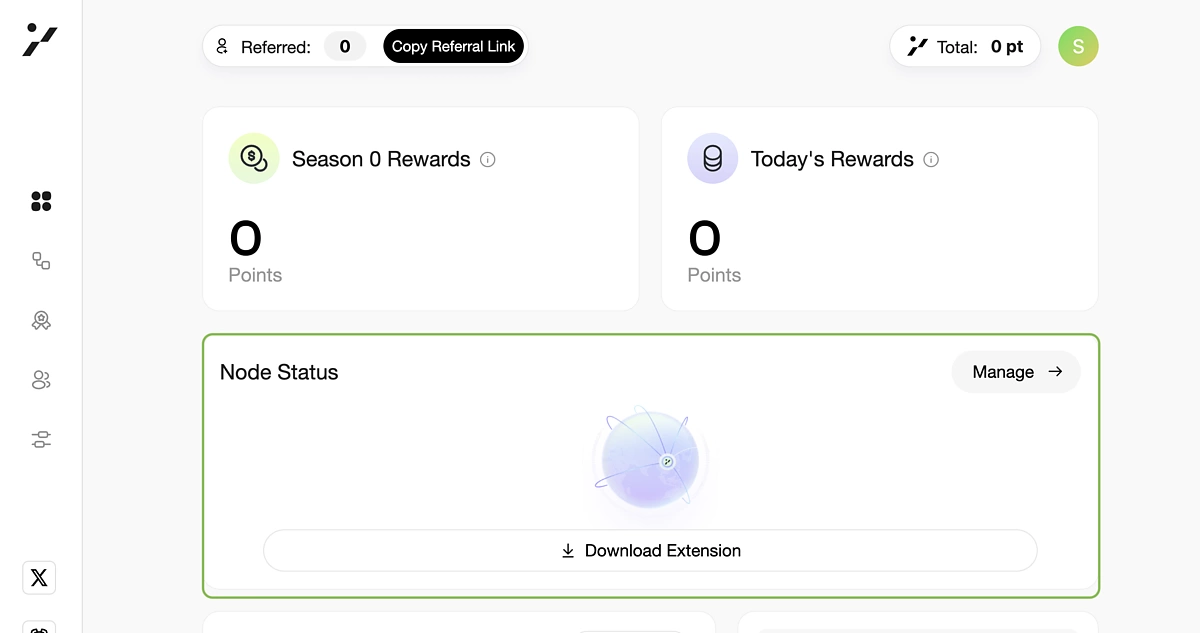
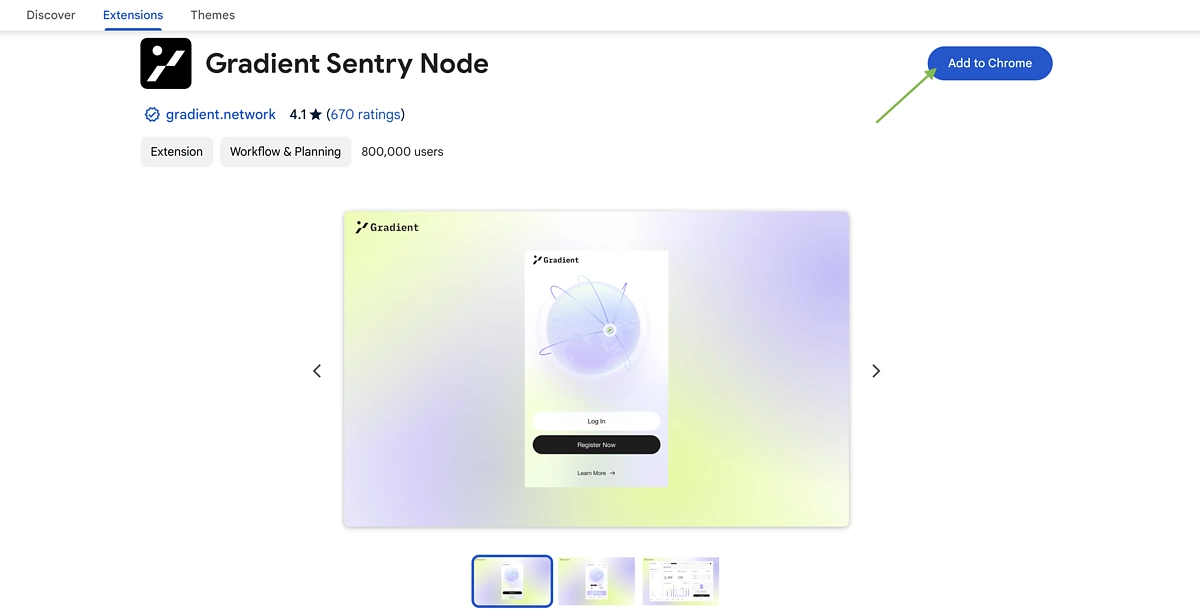
This will redirect you to the Gradient Sentry Node browser extension. Do note that the browser extension is able to read your location information that includes your region, IP address, GPS coordinates, or information about things near your device.
You can then Add to Chrome and allow the extension to be added.
The process is very simple because your account will already be logged in once the extension is added to your browser. There is no need to set up anything further.
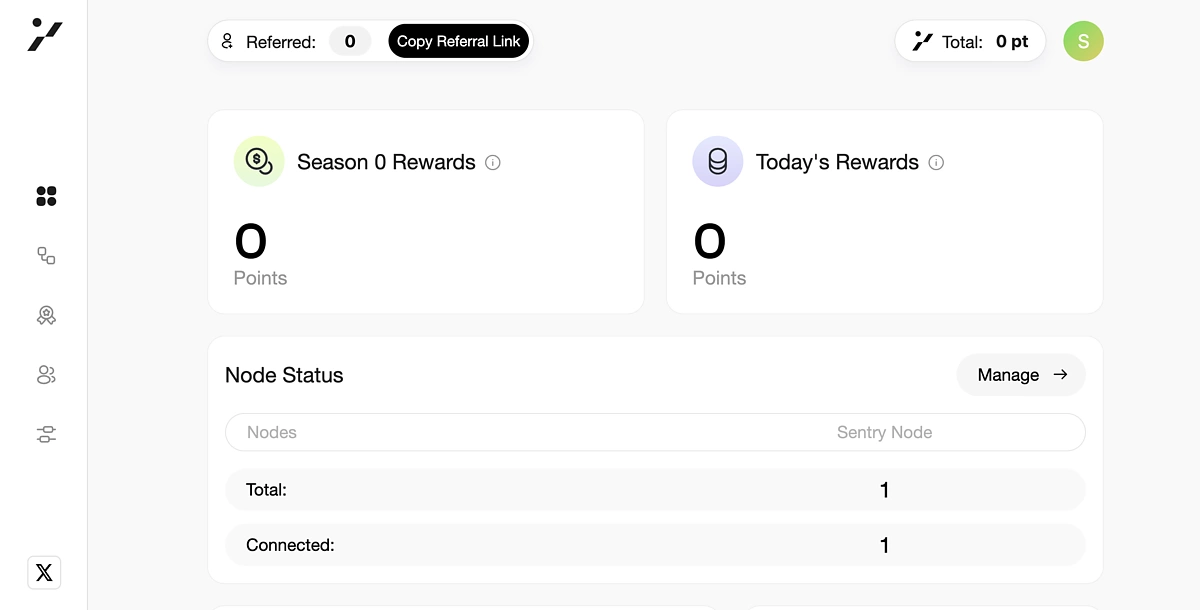
Back on your dashboard, you can double check that your Node is up and running.
Step 3: Earn Rewards
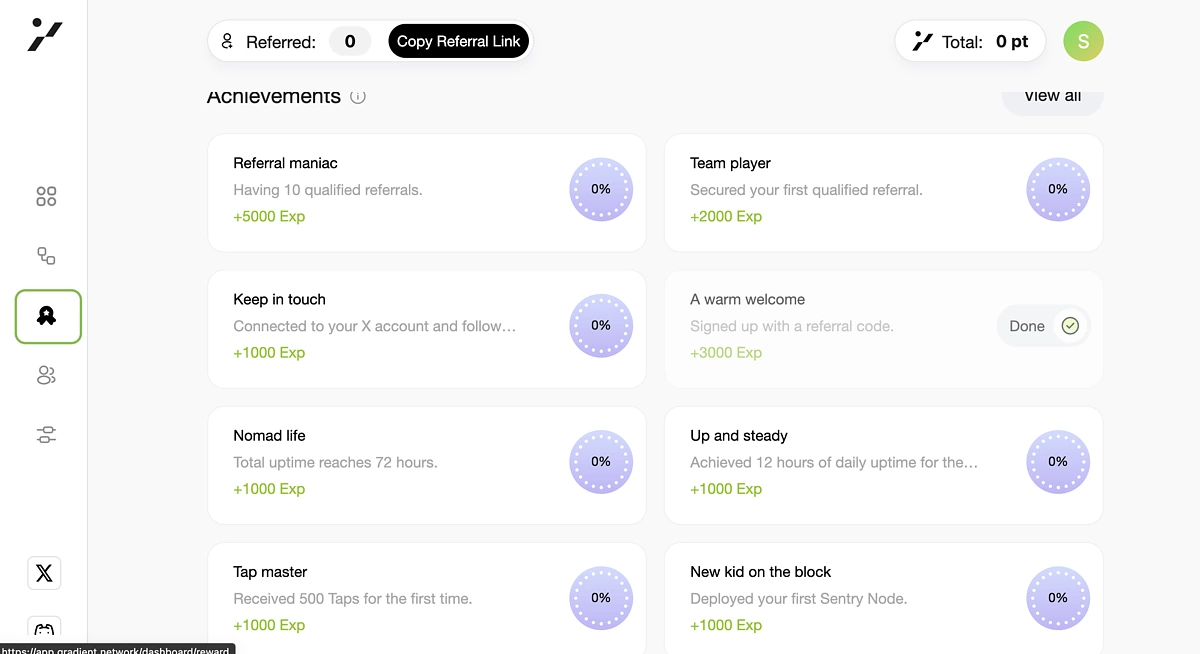
Back on your dashboard, in the left menu go to Rewards or the ribbon icon.
Here you will see various tasks you can complete to earn more rewards. These include referring others, signing up with a referral code, connecting your X account, and more. We recommend doing as many as possible since they don’t require much effort.
Step 4: Refer Others
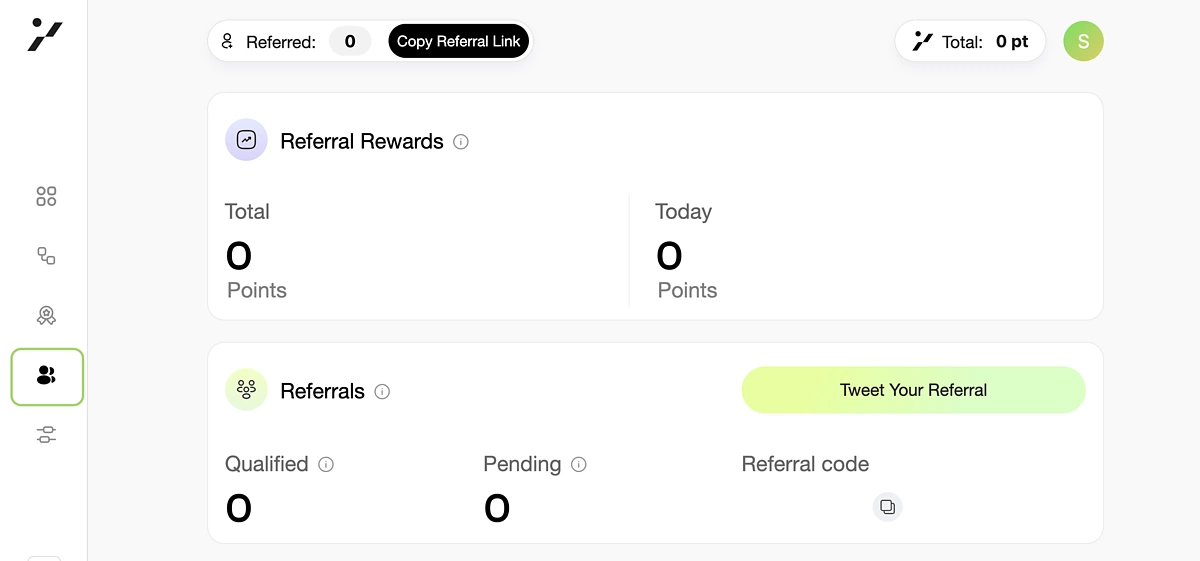
Lastly, refer others by going to the Referral page in the left menu. Here you can find your points earned from referrals as well as your referral code and link.
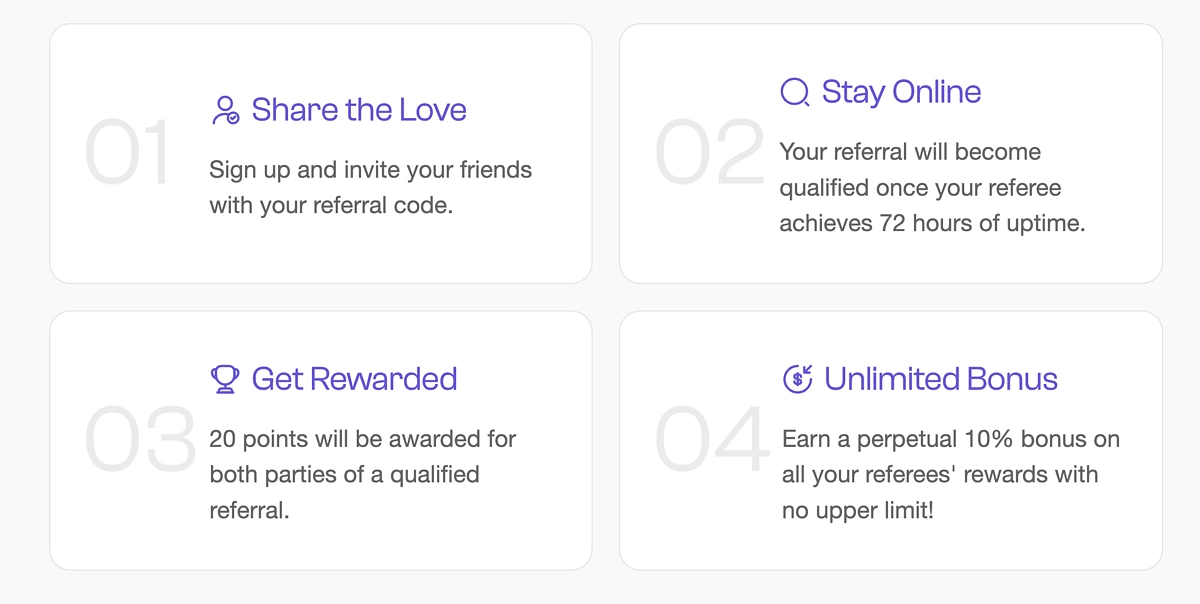
As you can see, successfully inviting others with your referral code will earn you 20 points. On top of that, you earn a perpetual 10% bonus on all their rewards with no limit.
Conclusion
The Gradient Network is a protocol on Solana that aims to introduce edge computing as a solution to scaling issues and the centralization of cloud computing. By distributing the network to devices across the globe, data transfers can become faster, cheaper, and more efficient. Users can now participate in Phase 1 by downloading the Gradient browser extension and setting up a Sentry Node.
As mentioned above, there is no guarantee that following the above steps will result in an airdrop. Always do your own research before interacting with any protocols.